

[ Easy ] TeamViewer Install In Ubuntu Linux

About TeamViewer
TeamViewer is software for remote access and remote control, allowing you a remote access to other computers and devices.
It was first released in 2005 and its functionality is expanding step by step. TeamViewer is proprietary software, but does not require registration and is free for non-commercial use.
One cool thing about TeamViewer is that is available for all desktop computers and smartphones with common operating systems, like Linux, Windows, BSD, Android, Apple and etc.
Key features:
-
Remote access to computers and other endpoints as well as their control and maintenance.
-
Send and receive files as well as access a shared clipboard.
-
Audio and video transmissions via IP telephony.
-
Remote Printing
-
Wake Up, Restart, and Install
-
4K Remote Desktop Access
Article content:
How To Install TeamViewer ?
It is proprietary computer software, and it is not included in the Ubuntu repositories, so we have to install it manualy from the TeamViewer repositories :
# How to install manually TeamViewer in Ubuntu 21.04 ?

$ cd /home/your-home-dir/Downloads

$ wget https://download.teamviewer.com/download/linux/teamviewer_amd64.deb
After the download has finished we can proceed with the installation :
# How to install manually TeamViewer in Ubuntu 21.04 ?

$ sudo apt install ./teamviewer_amd64.deb
Now at this point the installation is complete.
How to start TeamViewer ?
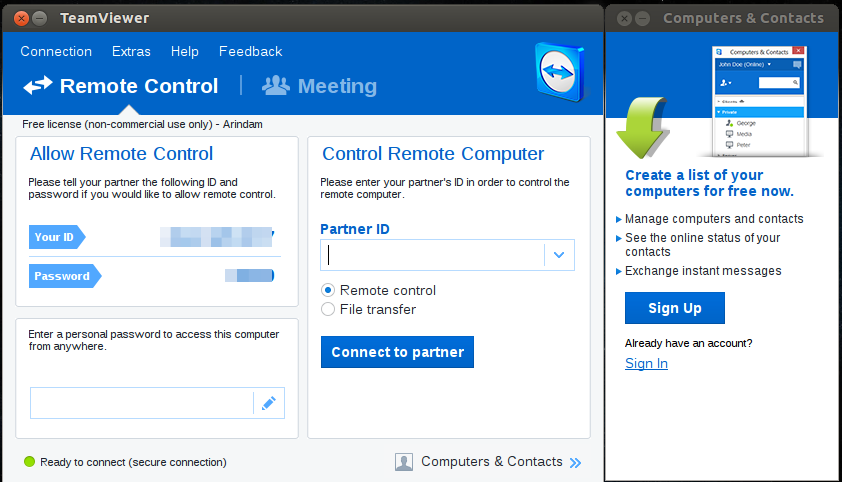
After this installation you will be still in the terminal so you can start it directly by typing teamviwer in the command line or use the GUI.
# How to start TeamViwer from the terminal ?

$ teamviwer
How do we update TeamViewer afterwards ?
In the installation process, the official TeamViewer repository will be added to your system, so updates will be included. It's possible to check with a simple cat command:
# Check if repositories have been added

$ cat /etc/apt/sources.list.d/teamviewer.list
And here is the output :
# Output

...

deb http://linux.teamviewer.com/deb stable main
How to uninstall TeamViewer ?
The uninstallation can be done with the Ubuntu package manager from installed applications :

Conclusion
In this article we reviewed some of the features, how to install, how to remove and how to validate updates for TeamViewer on Ubuntu 21.04 Linux. But the same installation will work on older Ubuntu releases and also other Debian based distributions.
- Another article that you can be interested in is Easy Zoom Install (Latest Version) On Ubuntu In Terminal.
---------------------------------------------------------------------------------------------------------------------
We hope you enjoyed this article. if that is so please rate this page with the stars bellow and subscribe to our YouTube channel or follow us on twiter.